
Dino Run Survival Guide: Controls, Boosts and the Wall of Doom
Published · Updated · 3 min read
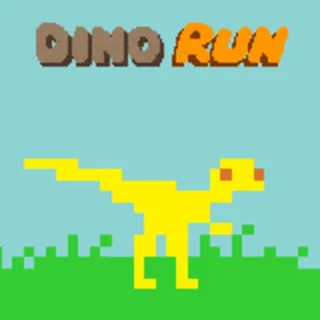
Dino Run puts you in charge of a small raptor running right, away from what the game's own help screen calls the pyroclastic wall of doom. The goal it gives you is short: escape the wall and find your dino sanctuary. This guide covers the parts the title screen only hints at: every key, the boost on Shift, the pounce, the three power-ups, and how the wall changes from Easy to Insane.
Every key in this build
| Key | What it does |
|---|---|
| Right arrow or D | Run right, away from the wall |
| Left arrow or A | Move left |
| Up arrow or W | Jump |
| Down arrow or S | Duck; in the air it turns into a pounce |
| Shift | Speed boost, when your feet spark |
| 1, 2, 3 | Change your dino's face (emotes) |
| Space or Esc | Pause |
| Enter (Return) | Restart while paused |
| M | Toggle music and sound effects |
The game reads the keyboard only. Touch works on the menus, but there are no on-screen buttons for running, so a phone is not a good fit. A Chromebook or laptop keyboard is.
The Shift boost
Shift is not a sprint you can hold. The game charges a boost in the background, and when it is ready your feet throw sparks and you hear a sound. The help screen puts the wait at about 20 seconds. Press Shift while you are on the ground and you get a short burst of speed. Pressing it in mid-air does nothing.
The boost grows with unspent DNA. With more than 250 DNA in the bank, Shift also gives a higher jump. Above 500 it adds super strength as well. The DNA guide on this blog explains where DNA comes from.
Duck, eat and pounce
Ducking does two jobs. On the ground it is how you eat. Power-ups, critters and other small things are picked up by ducking over them, not just by touching them. In the air, holding Down makes your dino pounce. The loading screen tip says it lets you pounce on things and steer better. The help screen calls it an air attack and suggests it for catching critters, getting through tight spots and avoiding dactyl pickups you don't want.
The three power-ups
- Speed Boost: a burst of speed.
- Jump Boost: higher jumps for a while.
- Strength Boost: lets you crush boulders and smaller meteorites instead of being stopped by them.
Two more pickups are worth knowing. A dactyl egg falls from the sky and counts as 10 regular eggs. And a big hot meteorite can be pushed into other dinos to knock them out.
How the wall of doom behaves
In the game code the wall moves forward at a steady rate set by each level. It does not speed up when you get ahead, and it does not ease off when it is close. Later levels generally set it a little faster, and each difficulty starts it faster than the one below.
| Difficulty | Levels | Last level |
|---|---|---|
| Easy | 6 | Apocalypse |
| Medium | 7 | Apocalypse |
| Hard | 7 | Apocalypse |
| Insane | 8 | Beyond Apocalypse |
A new save starts on Medium Challenge. You can change the difficulty on the Options and Game Modes screen. The legend at the bottom of that screen marks which difficulties you have survived.
Bonus points for living dangerously
The help screen lists what earns bonus points: playing on a higher difficulty, eating several critters or grabbing several eggs in quick succession, riding large boulders and meteorites, and surfing the wall of doom. Surfing means staying just ahead of the wall, close enough that your dino pulls a face. When a surf of more than a couple of seconds ends, the game shows how long it lasted and adds points. That makes the wall more than a threat. Hanging just in front of it on purpose is one of the ways to score.
More from the blog
- Dino Run Eggs, DNA and Super Eggs: What Each One Does
What eggs, DNA, bones and the ten super eggs do in Dino Run, what each ability upgrade costs, and which trophy sets give hats.
- After Dino Run: Planet D, Speedruns and Other Runners Here
Once Classic Challenge is done: Planet D's seven odd levels, the speedrun list and its bone costs, the cheats screen, and five other runners on this site.